AutopilotFeaturesWhy Syno ClipsPricingFAQ
Features

Everything between going live and going viral

Live clipping, AI moment picking, speaker framing, captions, highlight reels and publishing, in one place. Every screen below is the real product.

Clips land while the stream is still running

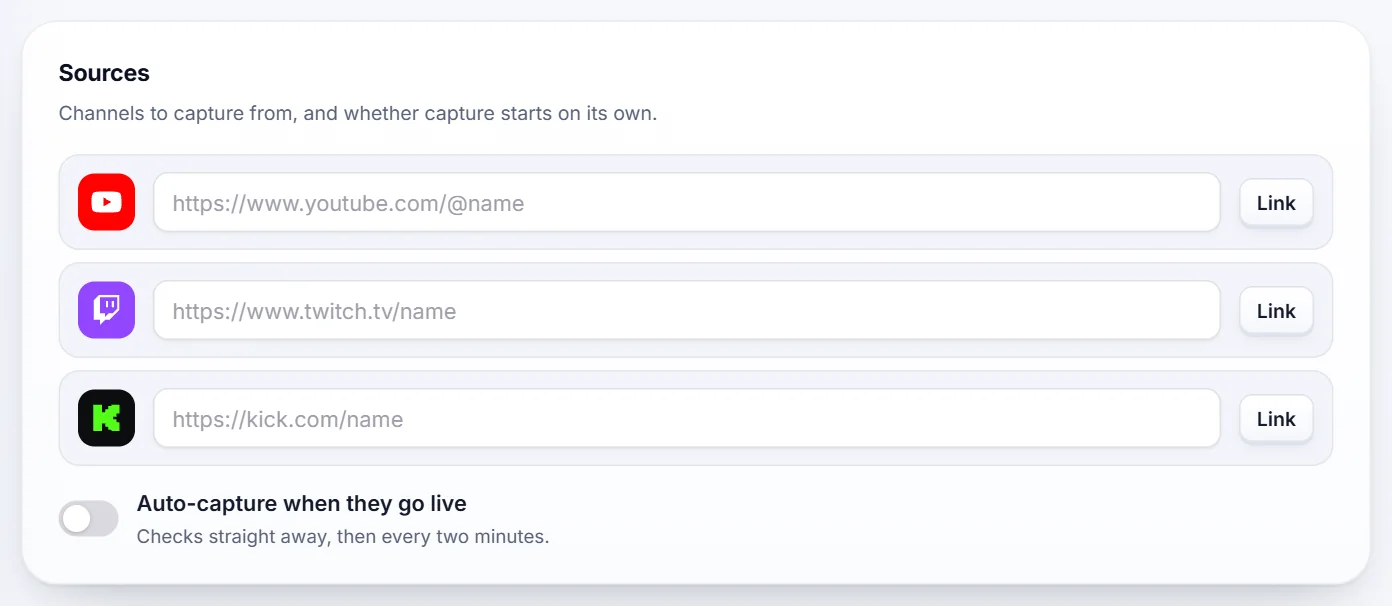
Link a creator's channels once. When they go live, Syno Clips records, listens and cuts clips as the stream happens, so you post first.

  • Auto-capture starts the moment a linked channel goes live.
  • Finished videos work too: paste the link or upload the file.
  1. Capturing
  2. Transcribing
  3. AI review
  4. Clips ready
Studio settings in Syno Clips: YouTube, Twitch and Kick channel links and an auto-capture switch
Studio › Tuning › Sources

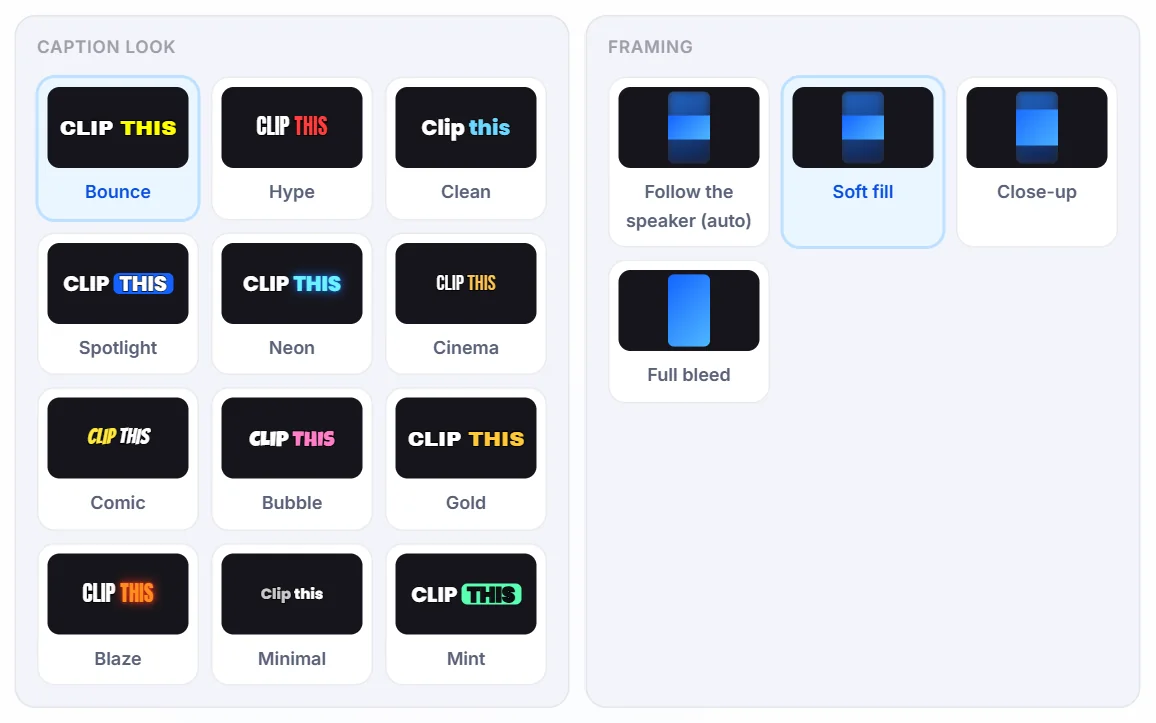
Twelve caption looks, framed on the speaker

Pick a look once and every clip comes out captioned in it. The 9:16 frame follows whoever is talking, so nobody gets cropped out.

  • Bounce
  • Hype
  • Clean
  • Spotlight
  • Neon
  • Cinema
  • Comic
  • Bubble
  • Gold
  • Blaze
  • Minimal
  • Mint
The Fine-tune panel in Syno Clips showing all twelve caption looks and four framing options
Dashboard › Fine-tune

Only the moments worth posting

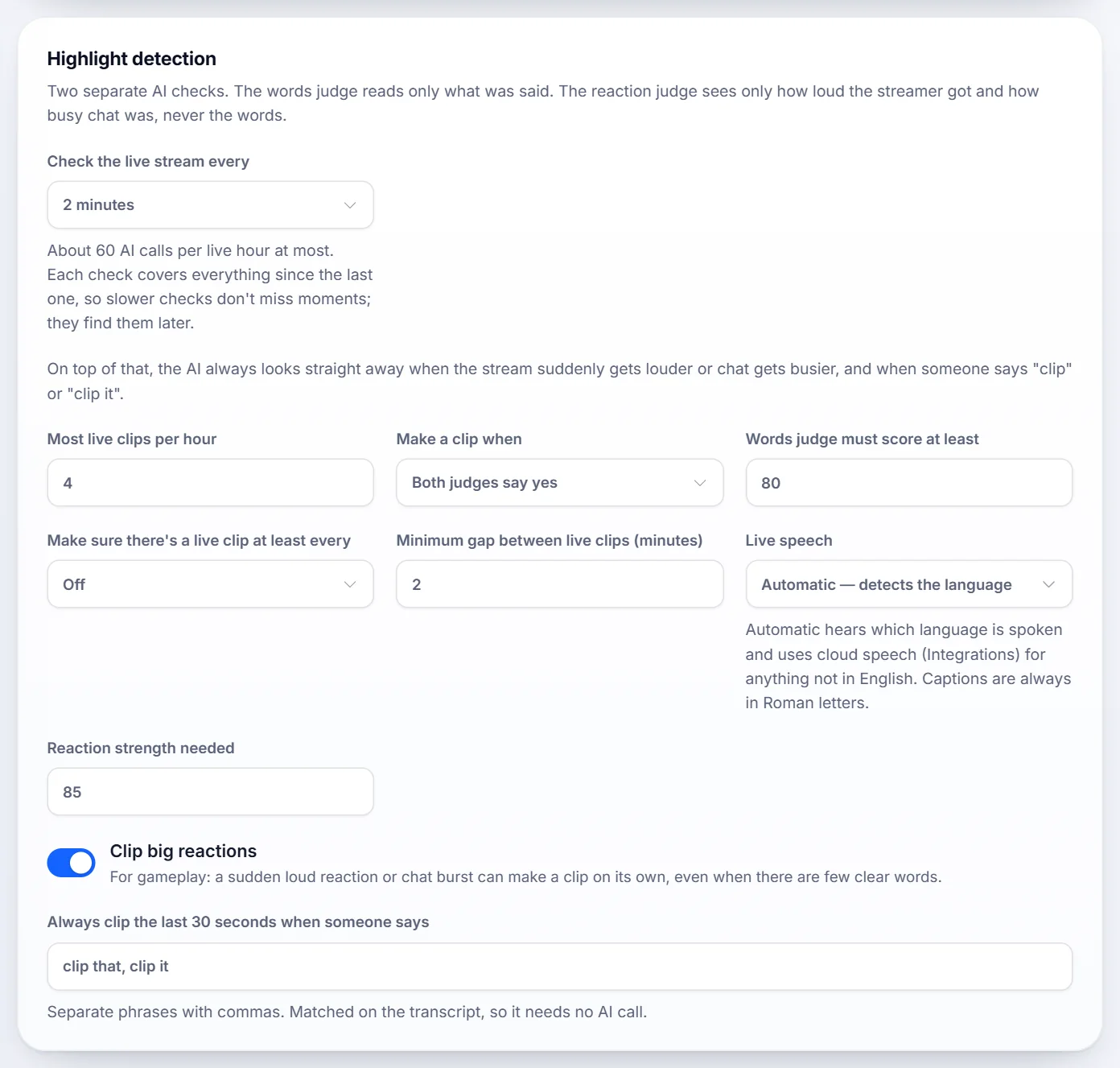
Every candidate clip gets a virality score for its hook, emotion, payoff, shareability and whether it stands on its own. You set the bar; anything under it is never cut.

  • Gaming streams: a loud reaction or a burst of chat can trigger a clip, even with few words.
  • Hindi and Urdu streams are captioned in Roman letters.
  • Say “clip that” on stream to save the last 30 seconds.
Highlight detection settings in Syno Clips: how often to check the live stream, the minimum score, reaction clips and trigger phrases
Studio › Tuning › Highlight detection

Published for you, on your terms

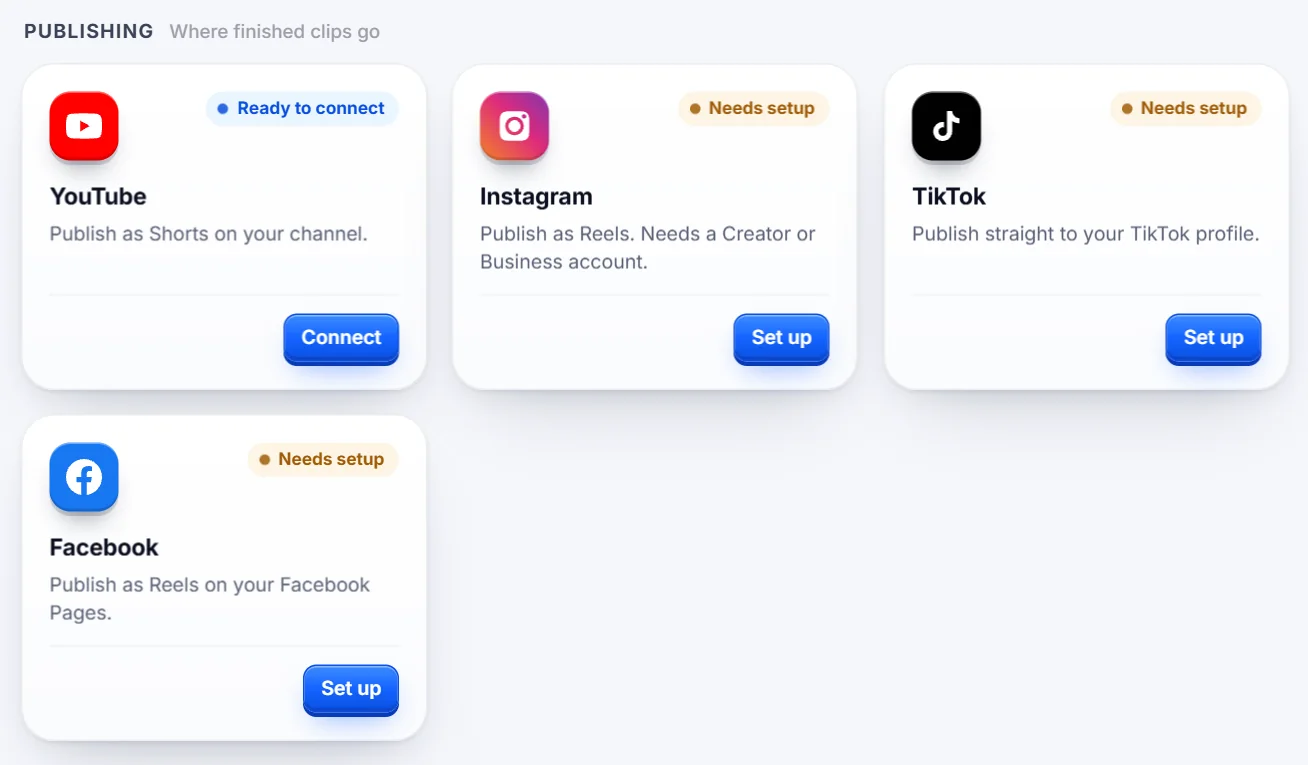
Connect YouTube, Instagram, TikTok and Facebook. Approve clips yourself, or let the ones that score high enough go out automatically.

  • Set a minimum score, a gap between posts and a daily limit.
  • Give each creator their own studio, with its own channels, look and posting rules.
Publishing integrations in Syno Clips: YouTube, Instagram, TikTok and Facebook
Preferences › Integrations › Publishing

Fits the tools you already use

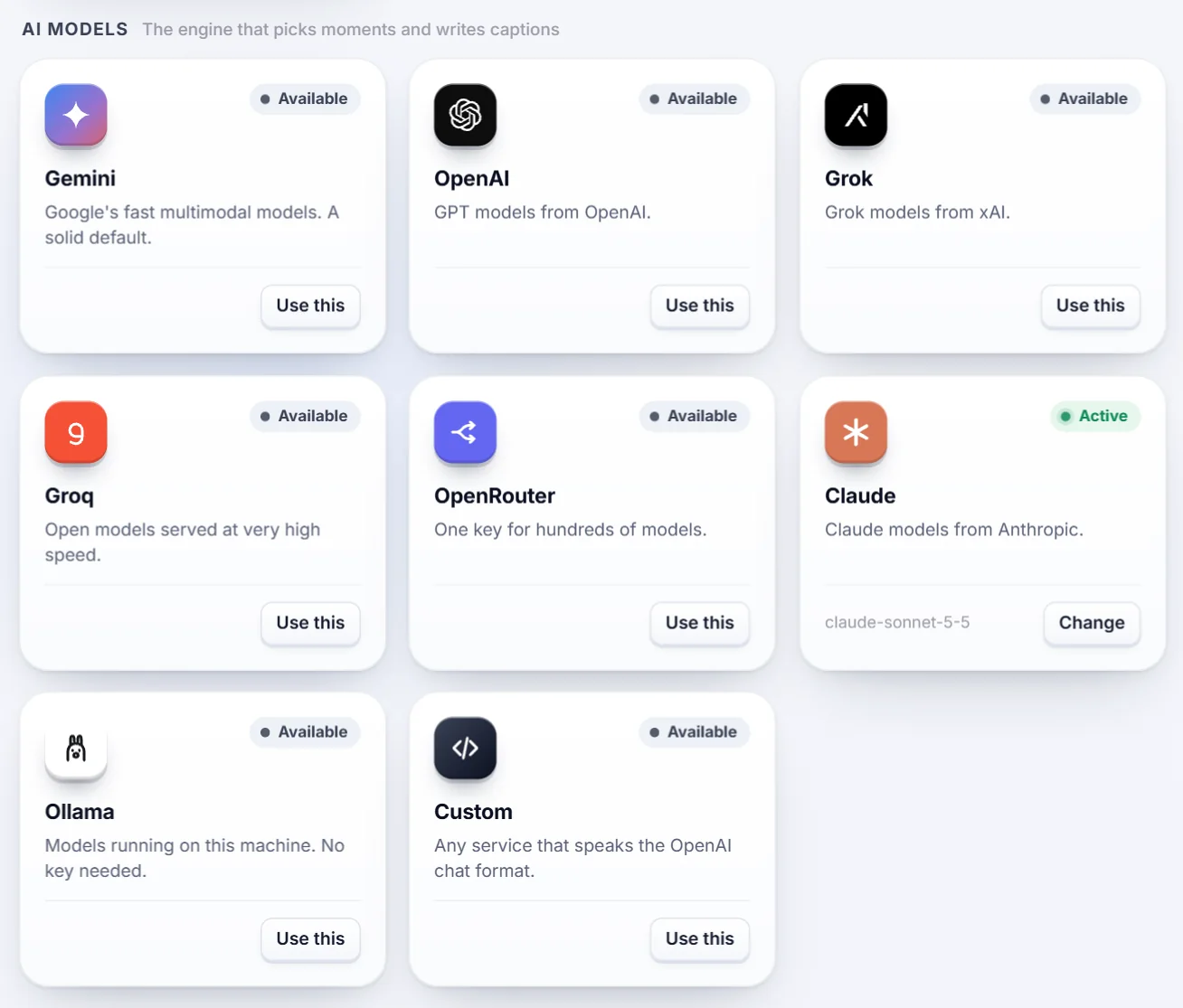
Choose the AI that reviews your streams, get a message when clips are ready, and run Syno Clips from your own scripts.

  • AI providers including Claude, Gemini, OpenAI, Groq and Ollama.
  • Alerts in Discord and Telegram.
  • Webhooks and API keys for developers.
AI model integrations in Syno Clips: Gemini, OpenAI, Grok, Groq, OpenRouter, Claude, Ollama and a custom option
Preferences › Integrations › AI models
Who it's for

Built for people who live on clips

  • Streamers

    Stay on stream. Your highlights are cut, captioned and ready before you end.

  • Clippers and editors

    Skip the scrubbing. Start from scored clips and spend your time choosing.

  • Agencies

    One studio per creator, each with its own channels, look and posting rules.

  • Brands

    Turn webinars, launches and live events into short clips for every feed.

Your next stream is full of clips

Sign up, paste your first link and see what Syno Clips finds.